

Digital billiards scoreboard
TargaScore – The complete billiards scoreboard
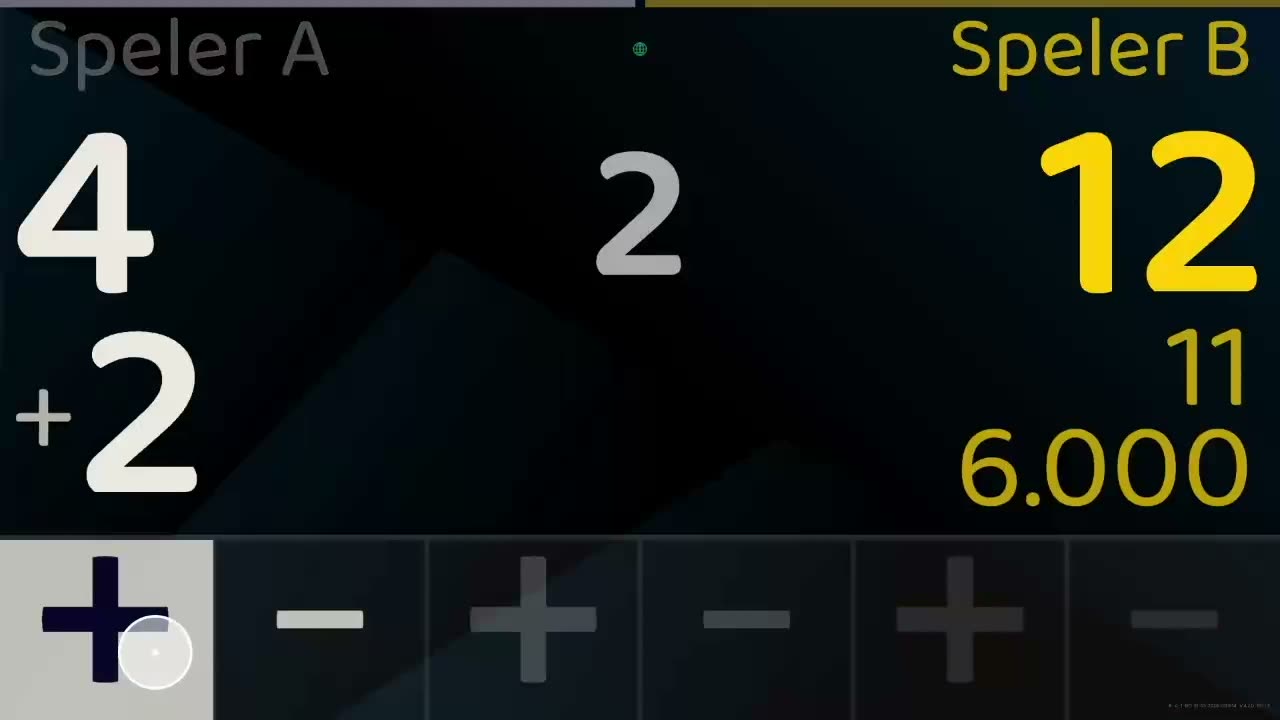
TargaScore is a digital scoreboard and management system for billiards. The scoreboard runs on a television or display in the room; matches, players and settings are managed centrally in the admin portal. Everyone can see the score at a glance, without paper, a chalkboard or mental arithmetic.
What is TargaScore
A scoreboard on the television, managed centrally
The screen in the room shows the match; the admin portal keeps the players, matches and settings. Two parts that together form one system.
Casual matches
Just start a game right away. Player A against Player B, like the wooden scoreboard of old.
Player lists
Create groups and player lists with target scores, game type and average.
Leagues
Save matches straight into your league and publish them on your own website.
Live score
Follow the score in real time on your own website.
Remote control
Operate the scoreboards from the tournament room and prepare rounds in advance.
Shot clock
The shot clock familiar from three-cushion billiards, with automatic time-outs.
Warm-up time
A clock that keeps players and spectators informed of the warm-up time.
Sponsoring
Show sponsor logos and let your scoreboard earn its keep.
Photo show
Present photos during the interval or on other occasions.
Who is it for
From club night to tournament day
Clubs, billiards centres, hospitality venues and competition organisers all use the same scoreboard, each in their own way.
Recreatief gebruik
- The situation
- Vrij spelen zonder ingewikkelde instellingen of gedoe. Direct punten tellen met de muis.
Billiards clubs
- The situation
- On club nights and in internal leagues the score is often still kept on paper or on a chalkboard. Results get lost and keeping track costs someone time every evening.
Toernooien
- The situation
- Vanachter de pc kan de wedstrijdleider de partijen per ronde op de scoreborden zetten en zodoende de partijen aankondigen.
Features
What TargaScore does
A selection of the most important parts. The full overview is on the Features page.
Scoreboard on a television
The scoreboard runs on a television or display next to the table, so players and spectators can see the score at a glance.
Central management of settings
Matches, players and settings are managed in one place: the TargaScore admin portal.
Set up a match in a few steps
Choose the players, the game type and the number of points to reach, and the match can begin.
Operation anyone can follow
Keeping score should work for someone using the scoreboard for the first time.
Manage players and participants
Record players once and select them for every match afterwards.
Competities en toernooien
Set partijen op vanuit de wedstrijdkamer of direct op het scorebord zelf.
How it works
Up and running in three steps
From a box of hardware to a working scoreboard next to the table.
Step 1: Choose the hardware
A Raspberry Pi with the TargaScore image, or an Android TV device such as the Formuler Z10 SE.
Step 2: Install and pair the scoreboard
Follow the step-by-step guide on the hardware page and enter the pairing details.
Step 3: Start a match
Choose the players and the game type; the scoreboard keeps track of the score.
Hardware
Two ways to use TargaScore
Choose what suits you: a fixed setup with a Raspberry Pi, or an Android TV device on which you install the app.
Raspberry Pi
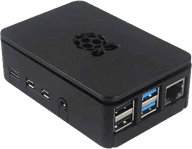
A fixed setup next to the table: you write the TargaScore image to an SD card and connect the Raspberry Pi to the television.
- Raspberry Pi model: [Recommended model to be added] To be supplied
- SD card: [Minimum size and speed class to be added] To be supplied
- Power supply: [Recommended power supply to be added] To be supplied
Android TV
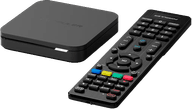
TargaScore as an app on an Android TV device, for example the Formuler Z10 SE. You install the app from the Google Play Store.
- Recommended device: Formuler Z10 SE
- Android TV with Google Play: The device needs access to the Google Play Store
- Google account: Required to install apps from the Play Store
Would you like to see TargaScore in your own room?
Get in touch for a demonstration or to discuss what your venue would need.